
Replying to a comment
Overview:
Reply to a comment on a call.
Getting started: If you’re not already viewing a call, first click on a call in Search & browse or from one of your Reports.
Reply to a public comment:
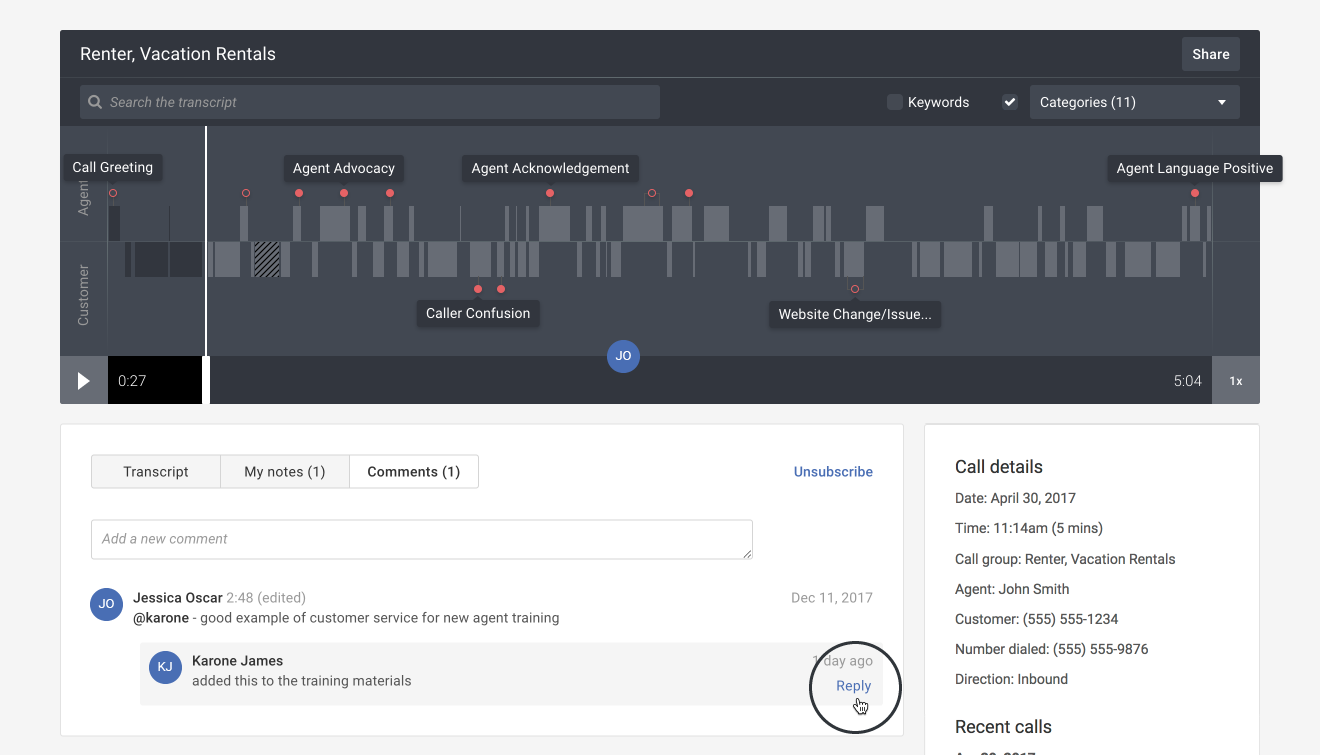
- Hover your mouse over the comment and then click the Reply link.
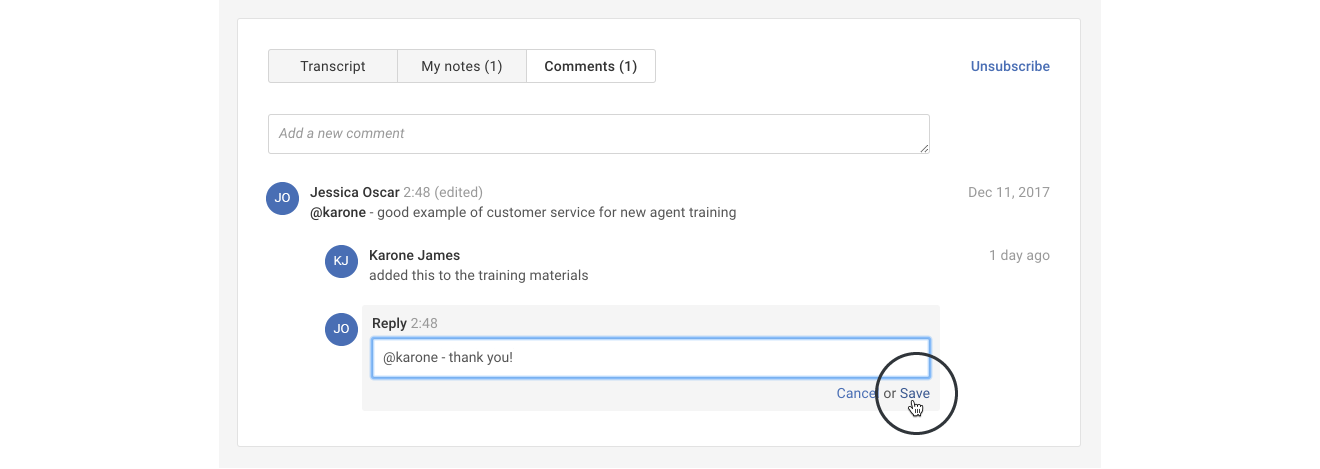
- Type your reply and then click the Save link.
Tip: You may also reply to a comment from the call timeline. Refer to reading call notes and comments for more information.