
Adding a new distribution list
Overview:
Add a new distribution list that can be used across your organization. Distribution lists can be used in call comments to alert members of key call events.
Add a new distribution list:
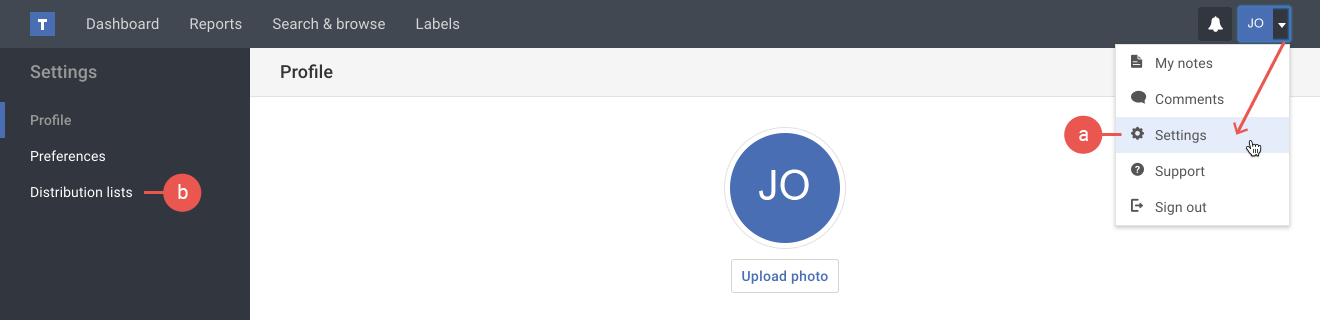
- If you're not already viewing the distribution list page, do the following:
a) Click the Settings option in your user menu.
b) Click the Distribution lists option in the Settings menu on the left. - Click the Add button.
- In the pop-up, type your distribution list name using the naming rules listed below. Then click the Savebutton.
– Can only contain lowercase letters and hyphens.
– Cannot have any spaces.
– Must be 30 characters or fewer.


Tip: Once your distribution list is created, remember to add members.