Removing a dashboard from a folder
Overview:
Learn how to remove a dashboard from a folder.
Getting started: If you’re not already viewing the folder which needs a dashboard removed, first navigate to that folder.
Remove a dashboard from a folder:
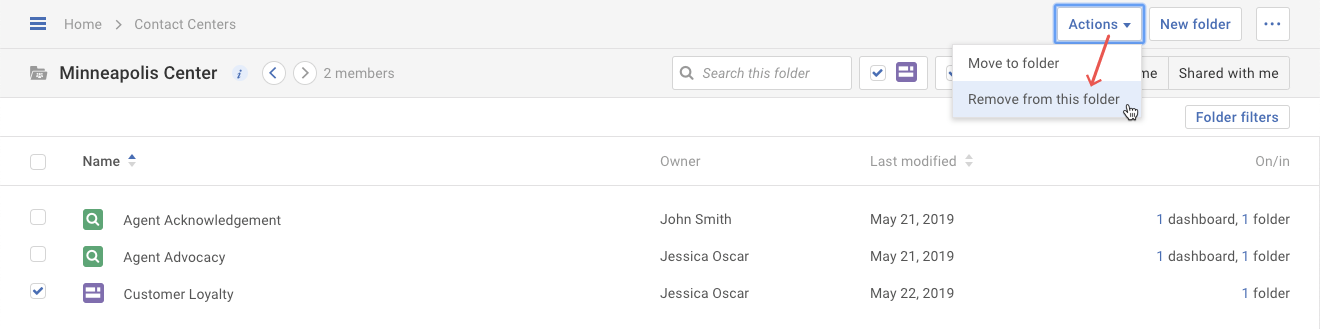
- First click on the dashboard(s) to be removed from the current folder. Then select the Remove from this folder option in the Actions drop-down.
- In the pop-up, click the Remove button.
Note: This only removes the dashboard from this folder. It does not delete the dashboard itself, nor remove it from other folders.