Adding a dashboard to a folder
Overview:
Learn how to add a dashboard to a folder.
Add a dashboard to a folder:
- Select the My dashboards option in the Insights menu.
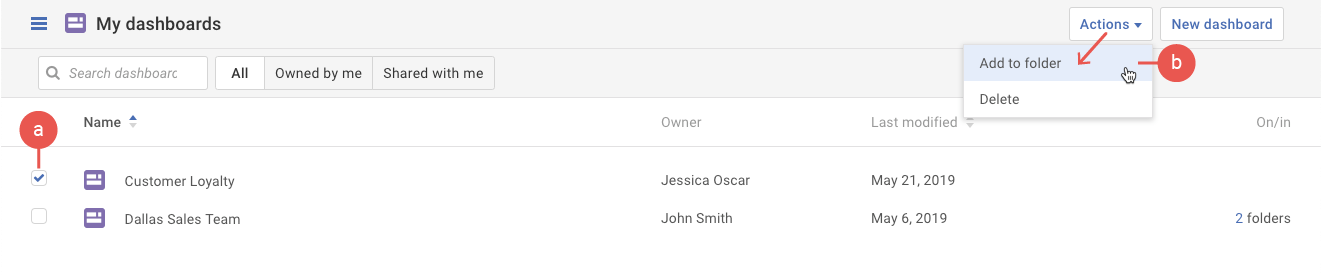
- First click on the dashboard(s) to be added to a folder. Then select the Add to folder option in the Actions drop-down.
- In the pop-up, select the folder.
- Click the Add to folder button.